

Top SEO Companies for Small Businesses
February 27, 2026
Mastering Employer Branding on Social Media
March 2, 2026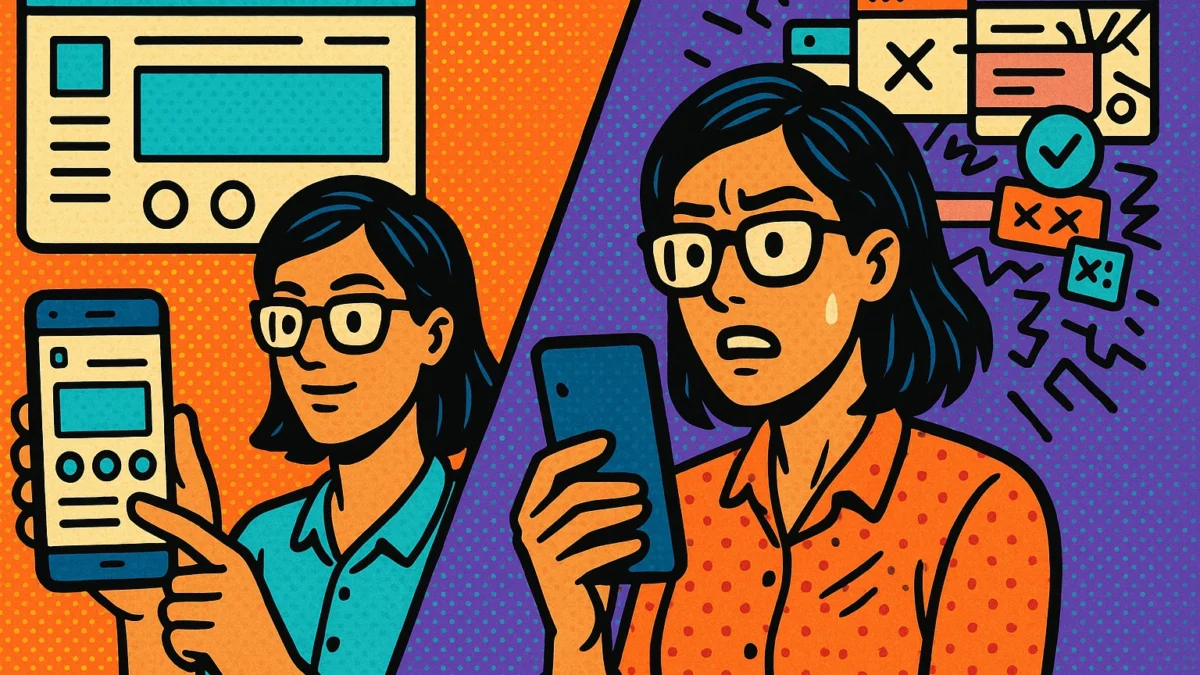
If your website feels clumsy on a phone, visitors leave before the first scroll. In 2026, mobile is no longer a subset of web design, it is the standard. Whether you are launching your first site or updating an aging theme, understanding what works on small screens will decide how long people stay, how often they return, and whether they convert.
This guide breaks down the top 7 mobile-friendly web design trends shaping the year. You will learn what each trend is, why it improves usability and performance, and how to apply it with beginner friendly steps. Expect practical tips on responsive layouts, fluid typography, touch-first navigation, speed optimization, accessibility, and modern visual patterns. To make each idea concrete, we will highlight mobile friendly web design examples you can reference or adapt to your stack.
By the end, you will have a simple checklist you can put to work today, clear criteria to evaluate your current pages, and confidence to make choices that look sharp and load fast on any device. Let’s get your site ready for the way people actually browse.
Mobile-First Design: The 2026 Essential
1) Mobile-first indexing is your SEO foundation
Google now primarily ranks your site based on its mobile version. In 2026, mobile-first crawling covers nearly 100% of indexed sites, so any mobile gaps can depress rankings on all devices mobile-first indexing statistics. Prioritize content parity, matching headings, schema, and internal links across mobile and desktop, and avoid interstitials that hide content. Ensure images, CSS, and JavaScript load for mobile user agents, keep canonicals and hreflang consistent, and present concise, scannable sections for small screens.
2) Page speed and conversions improve with mobile-first design
On mobile, seconds cost money. About 53% of visitors abandon pages after three seconds, and even a one second delay can cut conversions by roughly 7%. Set a performance budget, compress images to WebP or AVIF, lazy load below-the-fold media, and inline only critical CSS. Defer nonessential scripts, use responsive images with srcset and sizes, and enable caching on the server and CDN. Aim for sub 2.5 second Largest Contentful Paint on typical 4G, finger friendly tap targets near 44 by 44 pixels, and short, autofill-ready forms.
3) Responsive design is mandatory in a mobile market
With roughly 60% of global web traffic coming from phones, responsive design is a must 2026 SEO statistics on mobile usage. Build with fluid grids, the correct viewport tag, and modern CSS like clamp for scalable typography. Create mobile friendly web design examples around minimalist, content forward layouts, bold readable type, and primary actions near the thumb zone. Enhance with 3D, AI, or AR only if assets are lightweight and features degrade gracefully. Test core breakpoints, 360, 768, and 1024 pixels, and verify accessibility, contrast, focus states, and dark mode to keep engagement high. Next, we will explore mobile friendly web design examples that apply these principles to real pages and user journeys.
AI-Powered Personalization: Creating Adaptive Experiences
1) From static pages to adaptive, mobile-first experiences
AI is turning static sites into living systems that react to each visitor in real time. Instead of one layout for everyone, adaptive engines adjust copy, images, layout order, and navigation based on signals like location, time of day, and tap patterns. For example, a restaurant’s mobile homepage can automatically spotlight the nearest location at lunchtime, switch the hero image to dinner specials in the evening, and reorder the menu to surface online ordering first. Modern AI design systems and code generators make this feasible at small-business budgets, producing clean, mobile-ready components quickly. These are practical mobile friendly web design examples that reduce friction and help users reach goals faster.
2) Behavior analysis tools that power personalization
Personalization starts with understanding behavior. Platforms and frameworks use machine learning to read click paths, scroll depth, dwell time, search terms, referral source, and cart events to infer intent. Teams often combine a model toolkit like TensorFlow with a customer data platform, then trigger personalized elements such as headlines, product grids, or calls to action. In ecommerce, brands using contextual engines similar to Bloomreach have reported double digit lifts, including a 44 percent conversion increase after aligning content to session intent. Research on adaptive copilots, such as PersoPilot, shows real time persona and context matching is becoming mainstream. Action step: begin with one high traffic page, define two to three audience segments, choose a single goal like lead submissions, and ensure consent-based data collection.
3) Engagement and retention lift you can measure
AI personalization improves the moments that matter, which is why teams see engagement gains up to 40 percent and trial to paid improvements near 25 percent when experiences match user intent. On mobile, predictive preloading and smart ordering of content reduce perceived wait times, a driver of repeat visits and lower bounce rates. Mobile-optimized experiences already convert better; tailoring them with AI compounds that effect. Keep it simple: always run a control group, A/B test one element at a time, and track tap rate, time on task, and revenue per visit. Add guardrails like performance budgets and clear fallbacks so every user, personalized or not, gets a fast, reliable experience.
Accessibility: A Necessary Standard in Web Design
1) Why accessibility is now a standard, not an afterthought
Accessibility has shifted from nice-to-have to required. In the United States, the DOJ updated ADA Title II in 2024, requiring government websites and apps to meet WCAG 2.1 AA by 2026 or 2027 depending on size, see the DOJ 2024 ADA web rule. Businesses that sell to or partner with public entities, or that operate in multiple markets, are feeling the ripple effects. Globally, WCAG 2.2 is now an ISO standard, reinforcing consistent rules for mobile usability and cognitive support. The European Accessibility Act requirements took effect in 2025, setting penalties and market restrictions for noncompliance, so planning accessibility from day one protects your organization and your roadmap.
2) Practical ways to ensure your website meets accessibility standards
Start with an audit of your site, app, PDFs, and videos. Use WCAG 2.1 AA as your baseline, then incorporate 2.2 items like focus appearance and accessible authentication. Practical fixes include alt text for images, 4.5:1 color contrast for text, keyboard-friendly menus, visible focus states, labeled form fields with clear errors, captions and transcripts, and skip-to-content links. Test on mobile with real users, screen readers like VoiceOver or TalkBack, and keyboard only navigation; check tap targets are at least 44 by 44 pixels and components work in portrait and landscape. Build accessibility into your process, add checks to design reviews, code reviews, and content publishing, and re-audit quarterly.
3) How accessibility enhances user experience and SEO
Accessible choices improve experience for everyone, which helps engagement and search. Descriptive alt text and headings clarify content for screen readers and also help search engines understand pages, which can lift organic visibility. Clean structure, fast paths to answers, and readable contrast reduce pogo-sticking and abandonment on mobile, which supports conversion. Responsive patterns with larger tap targets and clear forms are classic mobile friendly web design examples that increase completion rates. In short, accessibility aligns with mobile-first best practices, so it strengthens SEO signals and turns more visitors into customers.
Micro-Interactions: Enhancing User Journey
- Provide immediate feedback to clarify actions Micro-interactions confirm taps, swipes, and submissions, so users always know what happened. A subtle button ripple, a color change on tap, or a small haptic tick reassures users that the system registered their intent. Real-time form validation that turns a field green when correct or flags an error early prevents drop-offs. These are simple, mobile friendly web design examples that reduce uncertainty and improve task completion. For beginners, start with buttons that animate on press and form fields that validate as users type, a best practice outlined in how micro-interactions provide immediate feedback.
- Signal system status to reduce perceived wait times Users abandon flows when they think nothing is happening. Use skeleton screens, progress bars, and playful but concise loading indicators to set expectations. Even brief operations benefit from status cues that keep attention anchored. Skeleton screens are especially effective on mobile, they make content feel like it is loading faster by revealing structure first. See principles for status and timing in this overview of micro-interactions and UX clarity.
- Guide next steps with motion and context Micro-animations can draw the eye to the next action, making complex flows feel obvious. Examples include a pulsing caret that encourages swiping through a product gallery, or a stepper that nudges users from shipping to payment. Highlight required fields after submission rather than forcing a full-page error. On small screens, this targeted guidance keeps focus tight and abandonment low.
- Add delight at key moments, not every moment Celebratory touches turn routine tasks into memorable wins. Confetti or a checkmark burst after a successful signup, a friendly pull-to-refresh animation, or a quick “like” flourish are simple ways to reward effort. Used judiciously, they increase time on site and return visits. Some reports attribute up to a 30 percent engagement lift to effective mobile micro-interactions, as noted in this guide to engagement gains.
- Balance engagement with performance and accessibility Keep feedback animations under 200 ms; use 400 to 700 ms for transitions that change context. Prefer CSS transforms and opacity for smooth GPU-accelerated motion, and compress Lottie or SVG assets. Respect user settings with prefers-reduced-motion and provide text alternatives for status. Maintain a consistent motion language across your site. Measure effects with analytics and A/B tests, then iterate to keep experiences fast and focused.
3D and Immersive Elements: Elevating Visuals
- Explore the rise of 3D on small screens Three-dimensional visuals are surging in 2026 because they add depth and clarity while complementing clean, content-forward layouts. Proven patterns include a 360 product spinner, gentle parallax in hero sections, and 3D typography for standout headlines. Scroll-based storytelling lets models rotate or reveal parts as users move, turning long pages into interactive narratives that increase time on site. For mobile friendly web design examples, picture a sofa you spin with one thumb or an exploded view that explains features in three taps.
- How to add immersion without slowing pages Performance is nonnegotiable on mobile, so plan 3D as progressive enhancement. Start with optimized GLB or glTF models, compress textures with KTX2 or WebP, and apply Draco or Meshopt to cut file size. Target under 2.5 seconds Largest Contentful Paint, under 200 milliseconds Interaction to Next Paint, and under 0.1 Cumulative Layout Shift. Lazy load scenes with IntersectionObserver, show a lightweight poster image first, then swap to 3D on tap. Limit polygon counts, cap draw calls, and use Level of Detail so older devices get simpler models. Provide fallbacks for low-power phones and honor prefers-reduced-motion to protect accessibility.
- Unlocking VR and AR for engaging experiences With WebXR and native viewers on modern phones, customers can preview products in their space or tour a venue without installing an app. Practical uses include furniture scale previews in AR, try-before-you-buy for eyewear or cosmetics, and guided VR showrooms. Keep sessions focused, 30 to 60 seconds is enough to inform and delight, and position a clear CTA beside the viewport. Track gestures and placements as analytics events to connect immersion to leads, mobile-optimized experiences consistently convert better than non-optimized ones. Always offer alternatives, such as a short video or annotated image, for users who skip AR or VR.
Next, we will showcase mobile friendly web design examples that apply these techniques.
Experimental Navigation and Vibrant Color Schemes
1) Explore unconventional, touch-first navigation patterns
Mobile friendly web design examples in 2026 often replace static header menus with touch-first patterns that feel native on small screens. Think radial menus that expand from a floating action button, bottom sheets that reveal key sections, or card stacks you can flick through. Gesture navigation, such as swipes to reveal categories or pinch to zoom into product clusters, reduces reliance on tiny tap targets and keeps thumbs in the natural reach zone. For inspiration on non-traditional scrolling and interactive menus, review current web design trends for 2026 and emerging mobile design trends shaping 2026. Actionable tip: map your top three user tasks and ensure each is no more than three taps away, supported by a persistent bottom bar or expandable quick menu.
2) Use vibrant, bold color to guide attention and amplify brand
Vivid palettes, from electric blues to punchy reds, are helping brands stand out while clarifying hierarchy. Color influences brand perception for a large majority of users, and confident palettes can lift visual engagement by roughly a quarter when paired with clear contrast and spacing. Practical example: pair a deep charcoal background with an electric blue primary button and a warm accent like tangerine for alerts, then use a subtle gradient on hero sections to create depth without clutter. See how bold color and expressive typography appear in top web design trends to watch in 2026. Document roles in a color token system, for example Primary, Secondary, Accent, Success, and Danger, and test each against dark mode to ensure consistency.
3) Keep usability front and center while you experiment
Aesthetic innovation should never sacrifice clarity. Maintain WCAG AA contrast, for example 4.5:1 for body text, give tap targets at least 44 by 44 pixels, and label icons with short text. Validate discoverability with five-user hallway tests, watching for hesitation when opening menus or completing key tasks, and iterate until success rates exceed 90 percent. Protect performance with a mobile budget, for example sub 2.5 second LCP, using compressed images, lightweight animations, and limited custom fonts; this preserves speed, engagement, and conversions while showcasing bold design.
Eco-Friendly and Sustainable Designs
1) Why sustainable design matters on mobile
Sustainable web design is now a strategic necessity. Data centers use about 1.5% of global electricity, and AI growth will push that higher, so efficiency is a real climate lever, as outlined in green computing. For mobile users, every kilobyte sent over a cellular network adds energy cost and waiting time, so lean pages feel better and pollute less. Mobile friendly web design examples that favor clean layouts and efficient assets lower bounce rates and increase completions. Sustainability also aligns with emerging digital responsibility expectations and signals reliability to eco conscious audiences, which strengthens brand reputation.
2) Practical ways to cut energy and data use
Set a mobile performance budget, for example under 1 MB transfer for key pages and under 2.5 seconds LCP on typical 4G. Minify and defer scripts, remove unused CSS, and choose lightweight libraries to reduce requests and CPU work. Convert images to WebP or AVIF to cut sizes by about 30 percent, pair with responsive images and lazy loading to avoid offscreen transfers. Preconnect to critical domains, cache aggressively, and serve content via a CDN, and prefer green powered hosting to shrink travel and emissions. As a quick win, replace a 2 MB autoplay hero video with a 400 KB image to trim data by roughly 80 percent and speed up Time to Interactive.
3) How sustainability builds brand trust
Consumers reward responsible brands, and a site that loads fast, wastes less data, and explains its choices earns trust. Speed and smoothness raise perceived quality, lifting engagement and repeat visits. Be transparent, publish a short sustainability note, disclose hosting energy sources, and report page weight, request count, and Core Web Vitals. If you need help operationalizing this, 2782 Digital can set budgets, optimize your stack, and monitor results so your mobile experience is greener and more effective.
Conclusion: Adapting and Thriving with 2026 Design Trends
- Embrace 2026 trends to amplify your mobile presence. Minimalist, content-forward layouts, vibrant color, and bold typography keep small screens clear and memorable. Layer in 3D product spinners, AI recommendations, and optional dark mode to increase interaction while keeping speed a priority. Mobile-optimized and responsive sites convert better and engage longer, and you can spark ideas by scanning these curated mobile-friendly web design examples.
- Ensure your design is adaptive, accessible, and engaging. Start with responsive breakpoints and touch-first patterns, then add AI-driven content blocks that adapt to behavior in real time. Meet accessibility basics, semantic structure, alt text, readable contrast, larger tap targets, captions, and clear focus states, and use micro-interactions to confirm taps and swipes. Optimize performance with compressed images, lazy loading, and CSS pruning, since faster perceived responsiveness increases engagement and repeat visits.
- Leverage 2782 Digital for a seamless transition. Our team in Saint Petersburg, Florida, brings integrated web design, mobile app development, and SEO to align your experience with Google’s mobile-first indexing. We deliver audits, rapid prototypes, cross-device QA, and analytics instrumentation, then iterate with A/B testing to lift conversions. You get scalable strategy, 24/7 support, and a roadmap that balances aesthetics, accessibility, and sustainability, so your brand thrives across devices in 2026 and beyond.